

Viral Rental Listing Makeover: Turn A "Meh" Unit Into A Must-See Online


Viral Rental Listing Makeover: Turn A "Meh" Unit Into A Must-See Online
Most rentals die in the scroll. Here's how to rework your photos, copy, and strategy so your listing stands out and attracts better tenants, faster.
Viral Rental Listing Makeover: Turn A “Meh” Unit Into A Must-See Online
If your listing has been sitting with no good applications, the problem might not be your property—it might be your presentation. In a world where renters swipe through dozens of options in minutes, a bland, badly lit listing gets skipped instantly.
The upside? You don't need a massive renovation to stand out online. With some strategic tweaks to photos, staging, and copy, you can make your unit feel like the obvious choice—then use PropertySea.app to keep all the new tenant leads organized once they start coming in.
1. Start With The “Scroll Test”
Open your listing next to 5–10 similar rentals in your area. Ask yourself honestly:
- Would I click this if I were the tenant?
- What stands out—in a good way and in a bad way?
- Are key details (price, beds, location, unique features) obvious at a glance?
If your listing blends in or looks slightly worse than the others, you don't have to guess what's happening in a tenant's brain. They're scrolling right past.
2. Upgrade Photos Without Rebuilding The Unit
Photos sell the story of living in your space. You don't need luxury finishes to win—you need clarity and intention.
Quick improvements:
- Declutter hard: Remove anything that isn't basic furniture or tasteful decor. No random cords, shampoo bottles, or overflowing trash cans.
- Light it right: Shoot during the day with blinds open, lights on, and interior doors open to show flow.
- Frame for space: Stand in corners and shoot toward windows to make rooms feel larger.
- Tell the story: Show entry, living, kitchen, bedrooms, bathrooms, and any standout features (balcony, yard, view, storage).
If you can, use a mid-range smartphone or basic wide-angle lens and clean editing (brighten, straighten, no crazy filters).
3. Stage For The Life Your Ideal Tenant Wants
Staging isn't just pillows and plants. It's about helping tenants imagine their life there. Think about who you want:
- Remote worker? Add a small desk or workspace nook.
- Young family? Highlight the dining area and storage.
- Students or roommates? Emphasize equal-sized bedrooms and shared common spaces.
Use neutral colors, simple decor, and a few personal-but-not-too-personal touches (like a coffee tray, throw blanket, or plant) to make it feel like a home, not a leftover storage unit.
4. Rewrite Your Headline To Hook The Right People
“2 Bed, 1 Bath Apartment” is technically accurate—and instantly forgettable. Your title should highlight what actually makes your place stand out.
Examples:
- “Bright 2-Bed Near Metro With Private Balcony & Parking”
- “Pet-Friendly 1-Bed Loft With Huge Windows + In-Unit Laundry”
- “Furnished Studio 5 Minutes From Campus – All Utilities Included”
You're not writing poetry. You're writing a useful headline that helps your ideal tenant say, “Wait, that's what I'm looking for.”
5. Use Description Copy To Filter, Not Just Sell
Good descriptions do two jobs at once:
- Excite the right tenants.
- Filter out people who aren't a fit.
Structure your description like this:
- Opening hook: One or two sentences painting the big picture (“Wake up to morning light in this top-floor corner unit…”).
- Bullet list of key features: Beds, baths, square footage, parking, laundry, outdoor space, utilities.
- Location highlights: Walk times to transit, major employers, campus, parks.
- Expectations: Deposit, pet policy, minimum credit/income criteria (if allowed and legal).
This saves you time later by attracting people who are much more likely to qualify.
6. Give A Frictionless “Next Step”
Don't make serious tenants dig for how to apply. At the end of your listing, clearly state:
- How to request a viewing.
- Where to apply or what information to send.
- Any documents they should prepare (pay stubs, references, etc.).
Once leads come in, move them out of scattered email chains and into a management system. In PropertySea.app, you can attach prospects to the correct property, track who's been approved, and store final tenant details once they're in.
7. Keep The Backend As Polished As The Front
A great listing fills your inbox. A great system makes sure none of those opportunities get wasted. Use PropertySea to:
- Log who ended up renting which unit, and at what rent.
- Track how quickly vacancies fill after your listing refresh.
- Store notes on what marketing angles worked best for each property.
Over time, you'll build your own playbook for “what makes our listings pop” instead of guessing.
Final Thoughts
You don't need viral numbers to win as a landlord—you just need your listing to be the one serious renters remember and click on. A few hours spent updating photos, staging, and copy can easily pay off in faster fills and stronger applicants.
Pair that polished front-end with a clean back-end in PropertySea—where all your tenants, rents, and notes live in one place—and you turn a simple makeover into a repeatable system for every vacancy you'll ever have.

Living the High Life: How Smart Co-op and Condo Owners Protect Themselves and Their Investment
These are our handpicked books to help you level up in Real Estate.
View on Amazon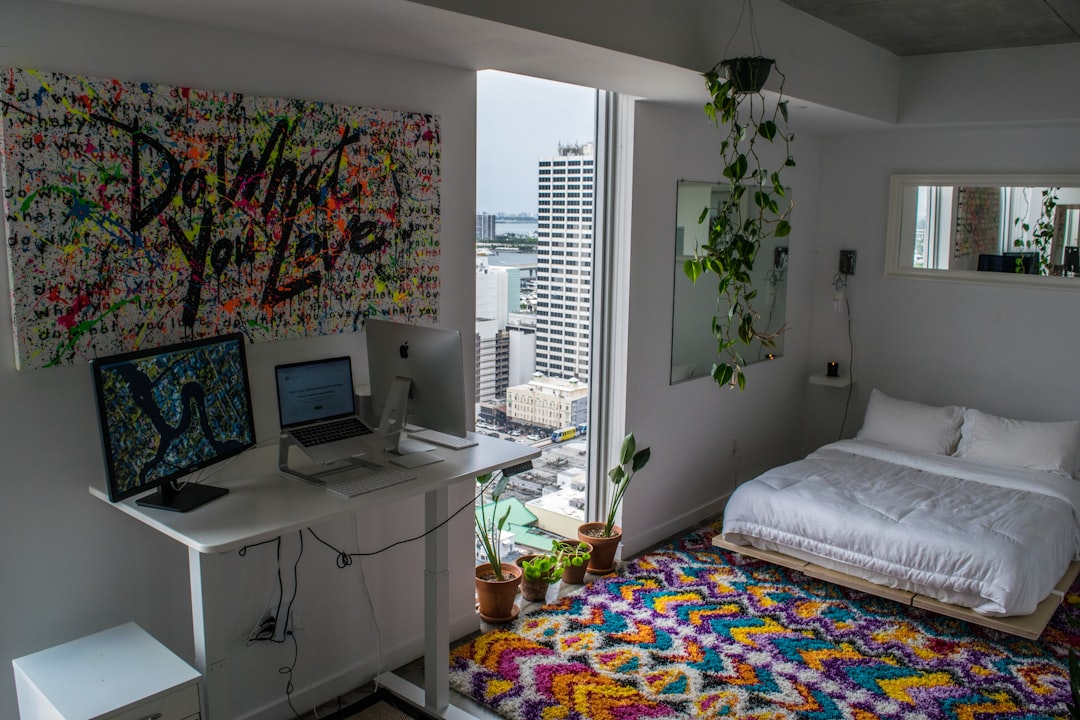
Co-Living And Room-By-Room Rentals: Maximizing Income With Shared Housing
Co-living and room-by-room rentals can boost your revenue per property-but they also add complexity. Learn how to structure, manage, and track them effectively.
Read More
Why Payment History Is One of Your Strongest Landlord Records
Treat payment history as a leadership tool. It helps you stay fair, track cash flow, and handle renewals with clear, data-backed conversations.
Read More