

The Two-Minute Mileage Log for Rental Property Trips


The Two-Minute Mileage Log for Rental Property Trips
A hardware store run, a unit visit, then a stop at the bank can blur together by Friday. A small trip log helps you remember where the car went and why, without turning every errand into an accounting project.
You stop at the duplex to let in a plumber, swing by the hardware store for a replacement latch, then head home. On Friday, the week feels familiar, but the exact date of that trip and which property you visited are already fuzzy. That is when a tiny habit helps: write down the trip while it is still fresh.
A mileage log is not a magic tax deduction, and keeping one does not decide whether a trip qualifies for anything. Tax treatment depends on current rules and your situation. The log has a simpler job: preserve a clear account of where your rental-related driving happened, so you are not reconstructing a month from calendar crumbs and gas receipts.
Make the note useful, not fancy
Pick one place for the record: a notes app, a spreadsheet, a paper notebook in the car, or a property-management tool you already use. The best system is the one you will actually open after a ten-minute visit. Creating a custom workbook with 14 tabs is an excellent way to avoid entering anything at all.
For each trip, capture the date, the property or destination, the reason for going, and the starting and ending odometer readings. You can also note parking or toll costs separately if they matter to your recordkeeping. These are practical fields for remembering what happened, not a claim that every tax authority requires this exact format.
For example, record: Oct. 6, 214 Oak St., met plumber about kitchen leak, 42,118 to 42,132 miles. That is more useful later than a vague note saying property stuff, 14 miles. Keep the note factual and short. You are building a record, not writing a travel diary.
Log the trip before the details wander off
The easiest time to record mileage is before you leave the driveway or as soon as you park. If checking the odometer is awkward, make a quick reminder in your phone and fill in the readings that day. A calendar entry can help confirm why you went, but it may not tell you how far you drove. A receipt can show that you bought a lock, but not which building received it.
When you visit more than one property, give each leg its own line or clearly show the route and stops. Suppose you start at home, visit the Oak Street duplex, pick up supplies, then check a vacant unit on Pine Avenue. One total number can hide the useful detail. A short note for each stop makes the route easier to understand later.
If a personal errand is mixed into the same drive, do not quietly label the whole trip as property business. Note the route honestly and ask a tax professional how mixed-purpose driving should be handled. The log should describe what you did, not argue a case for you.
Separate driving notes from purchase records
Keep the mileage entry and the store receipt connected when they belong together. A photo of the receipt can go in a folder named for the property and month, with a short note such as supplies for the rear entry. If a purchase serves two rentals, write down how you split or assigned it while you still remember. The trip log answers why you drove. The receipt answers what you bought and how much it cost. Neither one does the other's job.
That distinction matters when you look back at a busy month. A hardware receipt alone might be for your home, a rental, or both. A calendar appointment might show a contractor visit but not the supplies you picked up on the way. A few connected notes make the story easier to follow without promising any tax result.
Do a five-minute review each month
Once a month, scan for blank fields, duplicate entries, or trips that have no clear property or purpose. Compare the notes with your calendar and relevant receipts. Fix obvious typos, but do not invent a precise mileage reading from memory weeks later. If a detail is missing, mark it as unknown and ask your tax preparer what to do with incomplete records.
A simple review can also show patterns that are useful for running the property, even apart from taxes. You may notice that one unit needs frequent supply runs, or that grouping two nearby visits saves an extra drive. Treat those observations as planning clues, not proof that a particular expense is deductible.
Keep the record consistent when the car changes. If you start using a different vehicle, make that clear in the log instead of letting the new odometer reading look like it follows the old one. If you track mileage in an app, check that the export still identifies the date, destination, and purpose you need. A convenient tool is helpful only when its saved record makes sense months later, after the phone has updated twice and the app has moved its buttons again.
Give the file a plain name and save a backup somewhere you can find it. A folder by year with a separate sheet or section for each property is enough for many small owners. If you have several units, use the same short property labels in the log, calendar, and receipt folders. Consistent names make searches easier and help prevent a trip to Oak Street from getting mixed up with a similarly named building across town. Keep access limited to people who need the records, especially if the file sits alongside tenant or vendor details.
If you are unsure what records to keep, the IRS has general guidance in its rental income and expense overview and Publication 583 on recordkeeping. Those pages are starting points, not a substitute for advice about your property, business structure, or current tax rules. A tax professional can help you decide which records and driving method fit your circumstances.
Keep the routine small enough to last
Try a one-line entry after every rental trip for the next month. Keep your chosen log where you can reach it, use the same property names each time, and set a calendar reminder for the monthly review. If a detail is easy to forget, add one field. If the system takes longer than the drive note itself, simplify it.
PropertySea can help keep property information and day-to-day rental tasks in one place. If you want to see whether it fits your setup, download PropertySea. However you organize things, an honest note made today beats a confident guess made at tax time.
Direct URL: https://propertysea.app/download
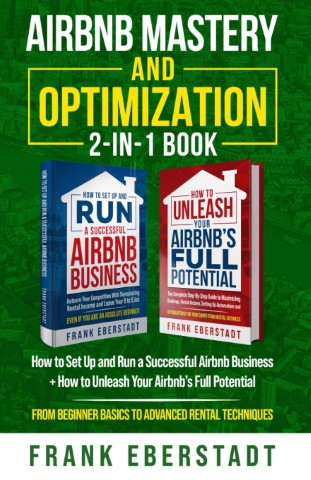
Airbnb Mastery and Optimization 2-In-1 Book: How to Set up and Run a Successful Airbnb Business + How to Unleash Your Airbnb's Full Potential
These are our handpicked books to help you level up in Real Estate.
View on Amazon
3 Rental Expenses Rich Landlords Refuse To Pay For
Wealthy landlords stay rich by avoiding unnecessary costs. Here are the top expenses smart investors dodge.
Read More
A Weekly Landlord Dashboard Routine for Small Rentals
The point is to see the few numbers and notes that help you act before small problems become expensive.
Read More