

The Human Review Step That Keeps Tenant Messages from Escalating


The Human Review Step That Keeps Tenant Messages from Escalating
A short human review pass before each automated tenant note can prevent quick replies from sounding cold, confusing, or legally risky.
At 9:15 p.m. on a Wednesday, Lena opened a text from her landlord inbox and immediately frowned. The message was polite enough: Just checking with us on the access time. It was also the second copy of the exact same note, sent by her automation rule stack while she was cooking dinner. In fifteen minutes one tenant now had two versions of the same update, both stamped as coming from her team.
She had built those messages to save time. What she forgot was this: tenants do not hear automated
as friendly. They hear timing, tone, and pattern. One repeated note can feel like pressure. One badly timed note can feel like blame.
The fix is not to throw automation away. The fix is to give every automated draft one small human checkpoint before it leaves your stack. For many small landlords, that one step is all the difference between useful communication and a complaint thread.
Why automation breaks the conversation first
Automation is great at doing the boring part. It can send reminders, confirm tour times, and log that they were sent. It is not as good at judging context. Context shifts every minute: a tenant moves from calm to frustrated, a repair gets delayed, or a tenant forgets to mention a change in situation while waiting for an update.
That is where plain automation usually fails. It reacts to rules, not intent. A rule says a notice goes out after 24 hours. A person sees if the tenant is already in panic mode. A person can soften the same rule to keep trust.
Think of it as a traffic system. The lights keep things moving, but a human still decides when to let an emergency vehicle through.
Design a three-bucket message filter
Create three buckets and let your messaging stack check every outgoing draft against them:
- Routine updates. Quiet, factual notes such as confirmation messages, utility reminders, and maintenance ETA quotes. These can usually go out after a short scan.
- Friction moments. Replies around late rent follow-ups, missed appointments, or repair delays. These deserve a second human glance for tone and next step.
- High impact moments. Notices on legal language, safety alerts, or anything that could escalate. These should always pause for manual edit or approval.
In practice, this means your automation creates a draft for all three categories. Only the first bucket can auto-send. The other two move to a short review queue.
A steady review flow that takes about 45 seconds
When Lena adopted this flow, she stopped losing evenings to message cleanup:
- Let automation draft the message, but stop before send.
- Ask three quick questions: Is this easy to read, is it neutral in tone, does the next step match the situation?
- If any answer feels weak, rewrite one sentence only, then approve.
- Send all messages in a batch, no later than every hour.
That is the whole loop. Not huge, not rigid, but enough to catch most mistakes.
Real examples from a small portfolio
Example 1: A rent reminder goes out at 11:58 p.m. because a script is still running. The tenant sees it while sleeping and opens a defensive thread. The message is corrected by shifting send window and adding one line: Pay your time by Friday if your plans changed.
Example 2: A maintenance contractor misses an arrival window. The automatic update says delay unknown. Human review adds context: Contractor found a permit hold, we are replacing it, and we will confirm a new arrival window by 5 p.m.
Same rule, better trust.
Example 3: A tenant sends a photo and mentions slow water pressure. The automation marks it as urgent and sends a compliance style note. The review step downgrades tone to helpful: Thanks for the photo, I checked it and will share a maintenance estimate by noon.
That small change reduces friction.
Set your safety rails in the order of common mistakes
Most misfires come from four predictable habits:
- Assuming every repeat message is harmless.
- Ignoring the tenant emotional state and sending legal language too soon.
- Mixing old thread history with a fresh update.
- Using one template for every category.
Each habit is solved with one specific rule. Keep a manual override list for urgency, delay, tone, and legal language. If any rule says yes, the message waits.
Build a one page message SOP in one evening
Set a useful rollout plan for next Friday:
- Write the three buckets and assign one color label to each.
- Tag each template with a fixed outcome time, and tone as a separate field.
- Turn on auto-send only for routine updates.
- Create a five-minute review block each day and clear all pending messages.
Within a week, many landlords in this flow report fewer confusion replies and fewer duplicate follow-ups because the message stream becomes coherent.
Why this helps with records and clarity
The human checkpoint also makes records better. If there is a disagreement later, you can show a plain sequence: draft generated, reviewed, edited if needed, sent. That is cleaner than a mixed thread where one automated note was corrected manually and another was not.
When you keep this review habit, your message history reads like an operations log instead of a crisis log. That matters for every hard conversation, from late rent plans to maintenance concerns.
Do not overdo templates, do them with empathy
One dependable rule helps. If a sentence sounds like it belongs in a legal memo, rewrite it into a person speaking to a person. For small landlords, this usually means shorter lines and one direct next step. A tenant does not need a dissertation when they are waiting for a key drop.
You do not need to sound soft in every message. You do need firmness where needed. The difference is firmness plus clarity, not cold automation.
Closing move
To start, pick your last five messages and run the three bucket filter on each. Send only the routine ones automatically. For all other notes, use one short human checkpoint and record the final answer. download PropertySea and keep the review flow tied to one visible place, so your team does not drift into random messaging.
Direct URL: https://propertysea.app/download
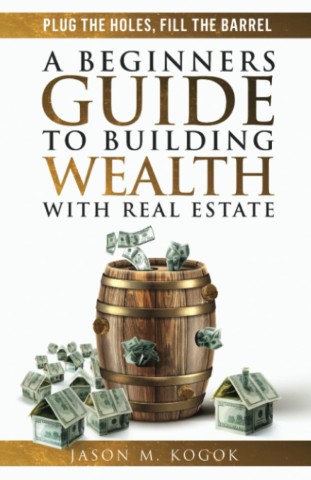
Plug the Holes, Fill the Barrel: A Beginners Guide to Building Wealth with Real Estate
These are our handpicked books to help you level up in Real Estate.
View on Amazon
How To Make Money During Rental Turnovers
Vacancies aren't always a loss. Here's how smart landlords use downtime to bring in side income or prep for bigger returns.
Read More
The 30-day vacancy map for small landlords: stay competitive without surrendering margin
Vacancy can trigger rushed price cuts, but a short 30-day map helps small landlords test concessions one at a time, compare demand signals, and protect long-term margin while still closing units faster.
Read More